
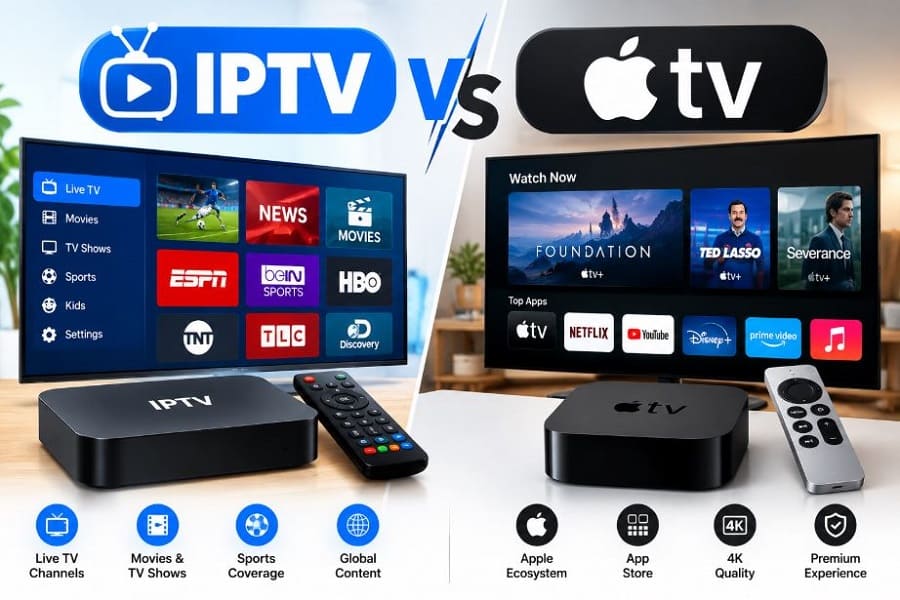
Choosing between IPTV and Apple TV confuses many viewers because they serve different purposes yet often get compared. IPTV is a delivery method for live channels and on-demand content over the internet. IPTV VS Apple TV with their differences you’ll get here. Apple TV is a premium streaming hardware device from Apple that runs apps, including IPTV players.
Understanding the difference between IPTV and Apple TV helps you pick the right option for live TV, sports, movies, or a polished smart-home experience.
Overview of IPTV and Apple TV
What is IPTV?
IPTV (Internet Protocol Television) delivers television programming—live channels, video-on-demand (VOD), catch-up TV, and electronic program guides (EPG)—over your broadband connection instead of traditional cable or satellite. You subscribe to an IPTV service provider, load a playlist (usually M3U or Xtream Codes), and stream through a compatible app on almost any device: Smart TVs, phones, tablets, Fire Stick, Android boxes, or Apple TV.
Popular reasons people switch to IPTV include lower monthly costs than cable, thousands of international and sports channels, multi-device support, and no long-term contracts.
What is Apple TV?
Apple TV is Apple’s dedicated streaming media player (currently the Apple TV 4K models). It runs tvOS, connects to your TV via HDMI, and offers a clean interface, powerful hardware (A-series chips), excellent 4K HDR/Dolby Vision and Dolby Atmos support, AirPlay, and deep integration with the Apple ecosystem (iPhone, iPad, Mac, HomeKit).
You use it primarily for official apps such as Netflix, Disney+, Apple TV (the service formerly called Apple TV+), YouTube, and sports apps. It also supports third-party IPTV player apps available in the tvOS App Store.
In short: IPTV is the content and delivery system; Apple TV is the high-end device that can play that content (among many other things).
What Is the Difference Between IPTV and Apple TV?
| Aspect | IPTV | Apple TV |
|---|---|---|
| Type | Service / delivery method | Hardware streaming device |
| Main Strength | Massive live channel lineup + VOD | Premium performance, UI, and ecosystem |
| Content | Thousands of live channels (sports, international, news) + movies/series | Official streaming apps + Apple originals; IPTV via third-party players |
| Cost | Low monthly subscription (often $10–25) | Hardware $129–$149+; apps/subscriptions extra |
| Flexibility | Works on almost any device | Best in Apple ecosystem; limited sideloading |
| Picture/Sound | Depends on provider, internet, and player | Excellent native 4K HDR, Dolby Vision, Atmos |
| Setup | Provider login + player app | Plug-and-play device + App Store |
| Internet Need | Strong, stable connection required | Strong connection recommended |
The core difference between IPTV and Apple TV is that one is content delivery and the other is the box that displays content. You can (and many people do) run IPTV on an Apple TV for the best of both worlds.
Pros and Cons of IPTV and Apple TV
IPTV Pros
- Significantly cheaper than traditional cable or satellite packages.
- Huge selection of live channels, including international and sports content.
- Works across phones, tablets, Smart TVs, and streaming sticks.
- Flexible: no contracts, easy to switch providers.
- Catch-up TV and VOD libraries included with most services.
IPTV Cons
- Quality depends on your internet speed and the reliability of the provider.
- Some services sit in legal gray areas depending on your location and the source of the streams.
- Buffering or channel switching can occur on weaker connections or poorly optimized apps.
- Customer support quality varies widely between providers.
Apple TV Pros
- Exceptionally smooth, fast interface and near-instant channel/app switching.
- Outstanding 4K HDR, Dolby Vision, and Dolby Atmos performance.
- Long software support and rock-solid stability.
- Seamless integration with other Apple devices (AirPlay, Continuity, Siri Remote).
- Privacy-focused compared with many ad-heavy platforms.
- Excellent for official streaming apps and Apple Arcade gaming.
Apple TV Cons
- Higher upfront hardware cost.
- Closed ecosystem: fewer IPTV player options than Android devices (no easy TiviMate sideloading).
- Best experience requires other Apple products.
- You still need separate subscriptions for most content (including IPTV services).
Which One Is Better: IPTV or Apple TV?
Neither is universally “better”—it depends on your priorities.
- Choose IPTV (on any device) if you want the lowest cost, the widest live-channel selection, international content, or sports packages that official services do not offer.
- Choose Apple TV if you value premium picture and sound quality, a fast and elegant interface, long-term software updates, and tight integration with iPhone/iPad/Mac.
- Many users combine both: run a reliable IPTV service on an Apple TV 4K using a native player. You get the channel variety of IPTV with the performance and polish of Apple hardware.
For pure live-TV volume and price, IPTV wins. For overall viewing experience and future-proof hardware, Apple TV often comes out ahead when paired with good IPTV apps.
Read also more related topics: IPTV VS Cable TV
Difference Between OTT and VOD
Related FAQs
What is the best free IPTV app for Apple TV?
Strong free options available directly in the tvOS App Store include IPTV Smarters (or Smarters Player Lite), VLC Media Player (great for simple M3U testing), and free tiers of GSE Smart IPTV.
These support M3U playlists and/or Xtream Codes plus basic EPG. Paid one-time or premium versions of iPlayTV or IPTVX offer more polished native interfaces and features if you want to upgrade later.
Which app is better for IPTV?
It depends on the platform. On Apple TV, native App Store players such as IPTV Smarters Pro, iPlayTV, GSE Smart IPTV, or IPTVX work well because sideloading is impractical. On Android/Fire TV devices, TiviMate is widely regarded as one of the strongest dedicated IPTV players.
Choose based on your device, need for EPG accuracy, multi-playlist support, and whether you prefer free or paid features.
Can I use IPTV on Apple TV?
Yes. Install a compatible player from the App Store, enter your provider’s credentials or M3U URL, and stream. Apple TV hardware handles 4K HEVC streams efficiently.
Do I need both an IPTV subscription and an Apple TV?
An IPTV subscription gives you the channels. An Apple TV is optional hardware that can play those channels (plus everything else). You can use IPTV without Apple TV on other devices.
Is Apple TV good for sports and live TV via IPTV?
Yes, when paired with a stable provider and a solid player app. Channel switching is fast, and the picture quality is excellent on a capable TV.
Final Thoughts
The difference between IPTV and Apple TV comes down to content flexibility versus premium hardware experience. IPTV delivers affordable, extensive live television over the internet. Apple TV delivers a refined, high-performance streaming platform that can also run IPTV apps.
For most people the smartest path is not “IPTV vs Apple TV” but “IPTV on Apple TV” (or on another device that fits your budget and ecosystem). Evaluate your internet speed, preferred content, existing devices, and budget—then decide whether pure IPTV, pure Apple TV apps, or the combination best matches how you actually watch television.